Two ways radios take the code
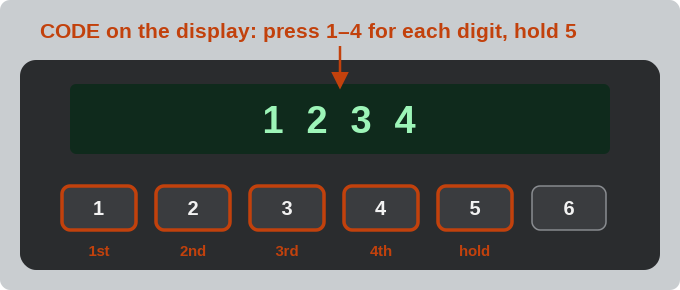
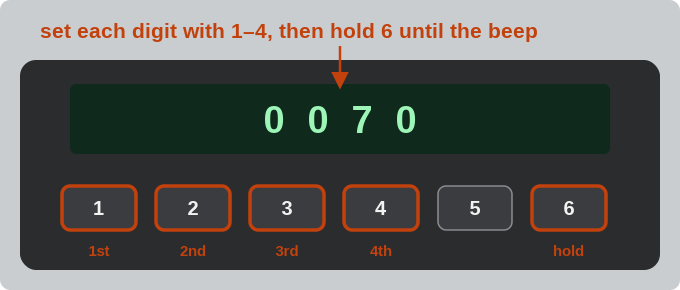
Counter method (most Ford, Renault, Blaupunkt, Fiat radios). Each preset button controls one digit. Press it repeatedly until the right number appears, then move to the next button.
Direct method (Becker and similar). Each preset button is a digit value. For the code 21334 you press 2, 1, 3, 3, 4 in order. That is why these radios only use digits from 1 to the number of buttons.
Brand by brand
| Radio | Enter the digits | Confirm |
|---|---|---|
| Ford (M / V series) | presets 1–4 (counter) | press or hold 5 |
| Renault / Dacia | presets 1–4 (counter) | hold 6 until it beeps |
| Blaupunkt | presets 1–4 (counter) | depends on model – often 5, 6 or a seek arrow |
| Nissan (Blaupunkt) | presets 1–4 (counter) – watch the display, the first press often shows 0 | TA; if nothing happens, 6 then TA, or the tune ▶ button |
| Becker / Mercedes | press the preset for each digit (direct) | Mercedes, 5-digit code: SC or a seek / tune button; Becker with a 4-digit code: none – the radio starts after the last digit; other models: as the manual shows. WAIT → leave the radio on until CODE returns (10 minutes at first, then 60 or longer) |
| Toyota ERC / touchscreen units | on-screen keypad (an ERC unlock code has 8 characters, 0–9 and A–F) | OK |
| Fiat / Alfa Romeo / Lancia | presets 1–4 (counter) | hold 5 or 6 a few seconds (radios with a knob: hold the knob) |
| Opel / Vauxhall (Blaupunkt, display SAFE) | press any preset, then 1–4 (counter) | hold AS until it beeps |
| Peugeot / Citroën | presets 1–4 (counter) | hold 5 or 6 until the radio accepts it |
| Volkswagen / Škoda / SEAT (display SAFE) | presets 1–4 (counter) | hold the last preset or the right seek arrow ▶; screen units: OK |
| Audi (Concert, Chorus, Symphony) | hold TP + RDS until 1000 shows, then presets 1–4 (counter) | hold TP + RDS again until SAFE shows (some radios: AS + RDS, FM2 + RDS, P.Scan + RBDS); MMI: on the screen |
| Honda / Acura | press the preset whose number is the digit (direct; codes use only 1–6). Some newer models: first try holding power about 2 s – sometimes it unlocks by itself | none – the radio starts after the last digit; after 10 wrong codes leave it on for an hour (Philips HO… radios: see the Honda page) |
| Volvo VC (Philips, display -C-) | press 1, choose the digit with tuning >, store it with 1 | after the 4th digit the radio beeps and plays |
| Truck radios (Delphi – Volvo, Renault Trucks, Mack; serial 89F…) | the four digits, as the truck’s handbook shows | as the handbook shows – if the code is refused, compare all 16 characters of the serial with the label |
| Jeep / Chrysler / Dodge | ignition in RUN, press ON/VOL, then the button of each digit in order (direct; touchscreens: the keypad on the screen) | none – the radio takes the code after the 4th digit; WAIT → 30 minutes in RUN (Chrysler bulletin 08-051-11). Becker RB3 (only 1–6): type the serial from its BE6802 label |
| Holden (Blaupunkt) | presets; VY / VZ SYS radios only digits 1–6 | as the manual shows; SYS: second code only if the first is rejected |
Tips
- Enter the code once and slowly – a wrong code can start a lockout.
- If a digit overshoots, keep pressing: the counter goes round from 9 back to 0.
- Write the code in the owner’s manual for next time.
Locked out? See radio locked after wrong codes.